How to YouTube Timestamp and Why It’s One of the Easiest Wins for YouTube Discovery
Most YouTube advice focuses on just getting people to click your content - thumbnails, hooks, posting schedules, formats. All useful. But many videos underperform for a much simpler reason, they’re hard to navigate (excuse the pun).
Content on YouTube is evergreen, appearing in search results long after you’ve first published. As a result, viewers arrive with intent. They’re searching for a specific answer, idea, or explanation. When they’re met with a long timeline and no clear structure, friction sets in. And friction is where watch time, retention, and visibility disappear.
YouTube timestamps (also known as chapters) solve that problem.
They don’t make your content better. But they make good content clearer for your viewers, for YouTube, and increasingly for AI-driven discovery tools. That’s why timestamps have become a great tool for brands that want their videos to perform beyond the first few days.
In this article, we’ll explore what YouTube timestamps are, how they work, and why they play a big role in visibility for your brand.
What are YouTube timestamps?
YouTube timestamps are time markers added to your video description that divide your content into chapters. Each timestamp labels a specific section of your video, giving viewers a clear sense of what’s inside before they commit their time.
They typically look like this:
00:00 What YouTube timestamps are
02:22 Why timestamps help with SEO and AI discovery
05:48 How to add timestamps on YouTube
08:10 Common mistakes to avoid
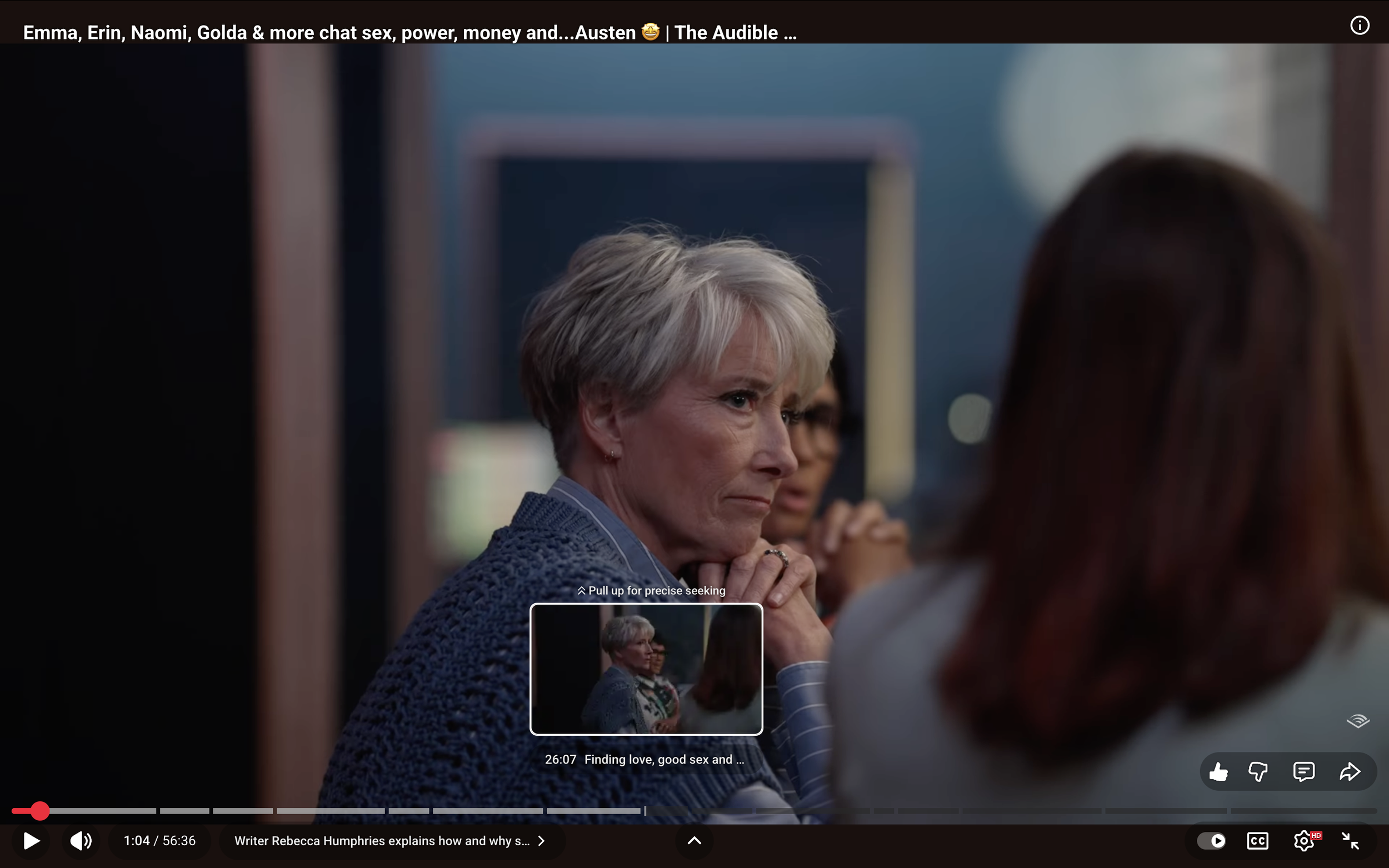
When set up correctly, these timestamps turn into clickable chapters on your video timeline. Viewers can jump straight to the section they care about rather than waiting to find it, and YouTube gains a much clearer understanding of how your content is structured.
Why timestamps matter beyond user experience
A big benefit of timestamps is that they reduce the effort required to get value from your content. They allow viewers to skip to what they want, watch attentively, and leave satisfied. Whilst this may reduce watch time in some cases, it can improve retention where it matters by increasing meaningful watch time.
Timestamps also play a big role in providing clarity for search algorithms. Each chapter title reinforces what your video covers and how topics are broken down. That context helps YouTube interpret relevance, intent, and depth, which influences how and where your content is surfaced.
As the search behaviour of your audience evolves, this kind of structure is becoming increasingly important. Visibility isn’t just about keywords anymore. It’s about how clearly your content communicates what it offers.
How YouTube timestamps support AI-driven discovery
YouTube timestamps are machine-readable. That makes them especially valuable in a world where AI systems are increasingly responsible for surfacing content and users are using more long-tail keywords within these platforms.
Much like the YouTube algorithm, AI-powered search tools look for signals that help them understand what a piece of content contains and where value exists.
Timestamps help AI discovery by:
Highlighting specific answers within a video
Making it possible to surface multiple precise moments within one video
Providing structured context without having to watch the full video
Timestamps won’t make you discoverable on their own, but as AI-driven discovery continues to grow, well-structured videos will have a clear advantage over content that lacks signposting.
We’re already seeing YouTube videos appear in search results with highlighted chapters to queries. YouTube content alone is now 200x more likely to appear in AI citations according to BrightEdge.
Find out more about how YouTube content surfaces in the new age of AI.
How to YouTube timestamp
Adding timestamps is straightforward, but small details matter. To create YouTube chapters, open YouTube Studio, select your video, and scroll to the description field.
Your first timestamp must start at 00:00. Without that, chapters won’t appear.
From there, list timestamps in chronological order, using clear, descriptive language that reflects what actually happens in the video.
For example:
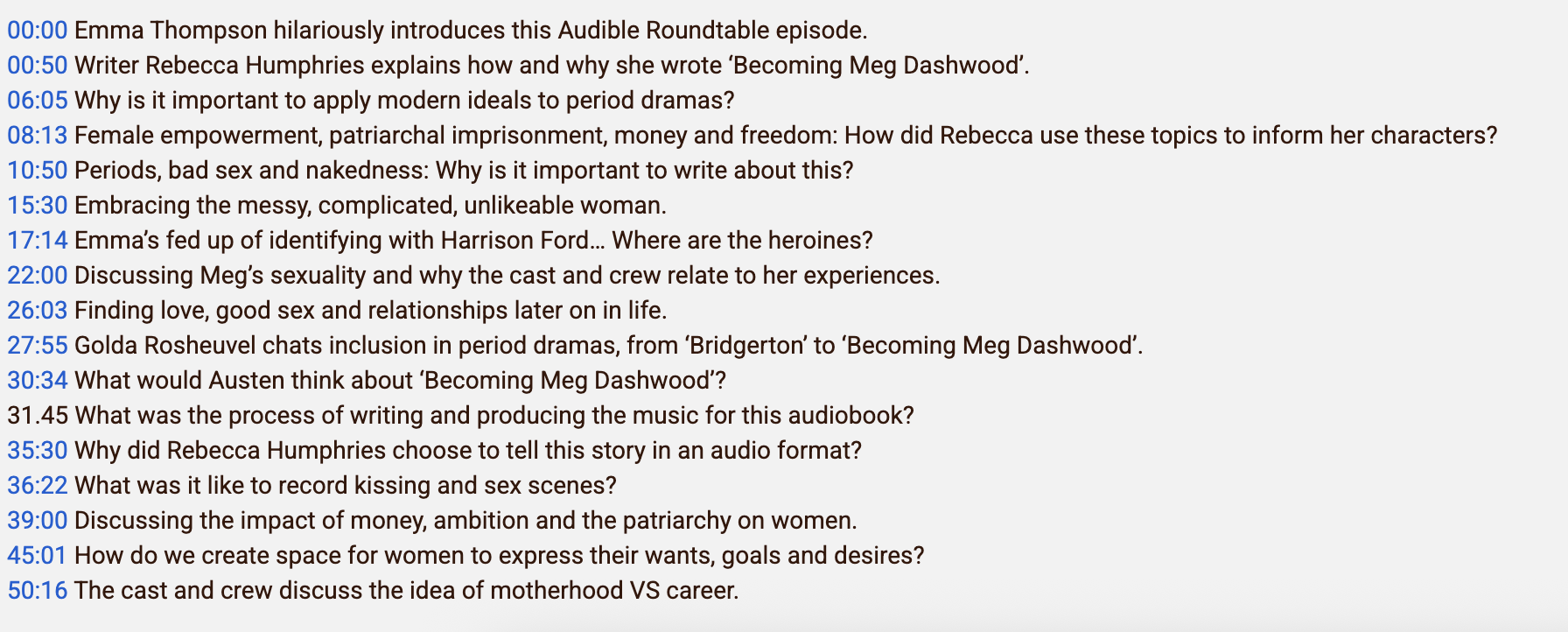
Once saved, refresh the video and check the progress bar. If chapters appear, your timestamps are working.
Common mistakes brands make with timestamps
The most common issues we see when adding YouTube timestamps include:
Forgetting to start at 00:00
Using vague or generic chapter titles
Adding chapters that don’t accurately reflect the content
How to use timestamps as part of your wider YouTube strategy
On their own, timestamps won’t transform your channel's performance. But when they’re integrated into a broader content strategy, their impact can compound over time.
We use timestamps with our clients to:
Improve retention on longer video content
Reinforce core themes
Make content easier to revisit, reference, and share
Prepare videos for changing discovery behaviours
This is all about optimisation for modern algorithms designed to reward performance and visibility.
Conclusion
If you’re already investing in YouTube, timestamps are one of the easiest ways to increase the return on that effort. They help viewers find value faster. They help YouTube understand your content more clearly. And, they help AI-driven systems surface your videos in more relevant moments.
In a landscape where attention is limited and discovery is evolving, creating as much clarity within your content is an advantage. YouTube timestamps are a small change that delivers exactly that.
Ready to make YouTube work harder for your brand?
We help teams improve visibility, retention, and discovery. Start a conversation with our team of YouTube experts or check out our latest how to guides below.



YouTube Timestamp FAQs
What is a YouTube timestamp?
A YouTube timestamp is a time marker you add to your video description that links to a specific moment in the video. When used correctly, timestamps turn into chapters that viewers can click on.
Do YouTube timestamps help with SEO?
Yes. Timestamps help YouTube understand the structure and topics within your video, which can support search visibility and improve watch time - both important ranking signals.
Do timestamps help with AI search?
They can. Chapters make it easier for AI-powered search tools to identify and surface specific moments within a video, rather than just the video as a whole.
Does every video need timestamps?
Not necessarily. Very short videos don’t always need them. But for longer, editorial or educational content, timestamps are worth adding.
Why aren’t my YouTube chapters showing up?
The most common reason is that the first timestamp doesn’t start at 00:00.
Can I add timestamps after a video is published?
Yes. You can edit the description at any time, and chapters will appear once YouTube processes the update.